
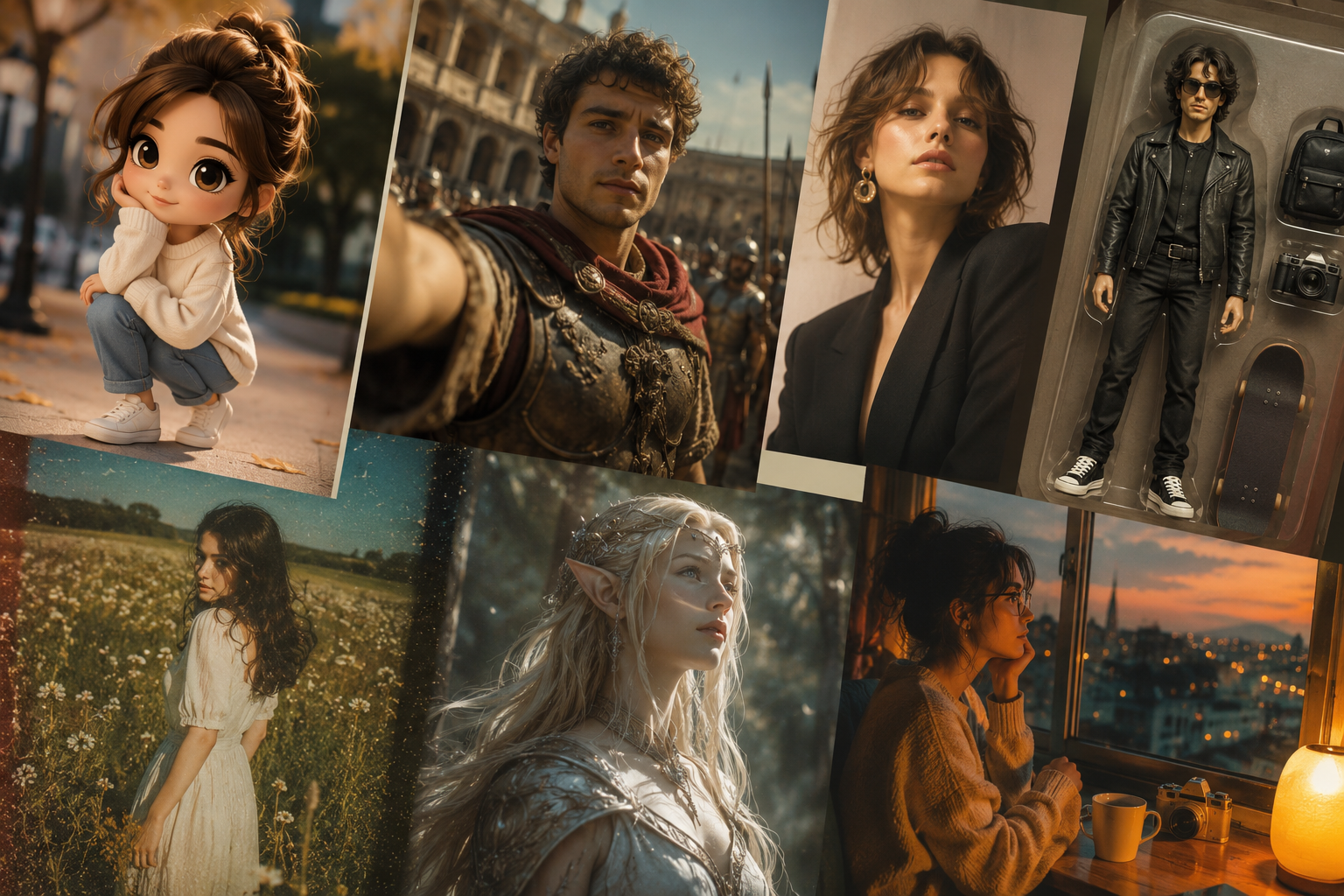
Instagram trends move fast. One week, everyone is posting grainy Y2K mirror selfies. The next week, your feed is full of anime avatars and cinematic AI portraits that look straight out of a Netflix trailer!
The good news? You no longer need advanced editing skills or expensive software to join in. With the right AI photo editing prompts, anyone can create scroll-stopping content in minutes. Whether you use ChatGPT, Midjourney, Canva AI, or other photo tools, AI-generated edits are becoming the new Instagram flex.
From dreamy “historical era” selfies to toy-box action figure versions of yourself, these trends are everywhere right now. And yes, some of them are oddly addictive.
Here are 10 trending photo editing styles for Instagram that creators, influencers, and casual users are using in 2026 — along with prompts you can copy and customize.
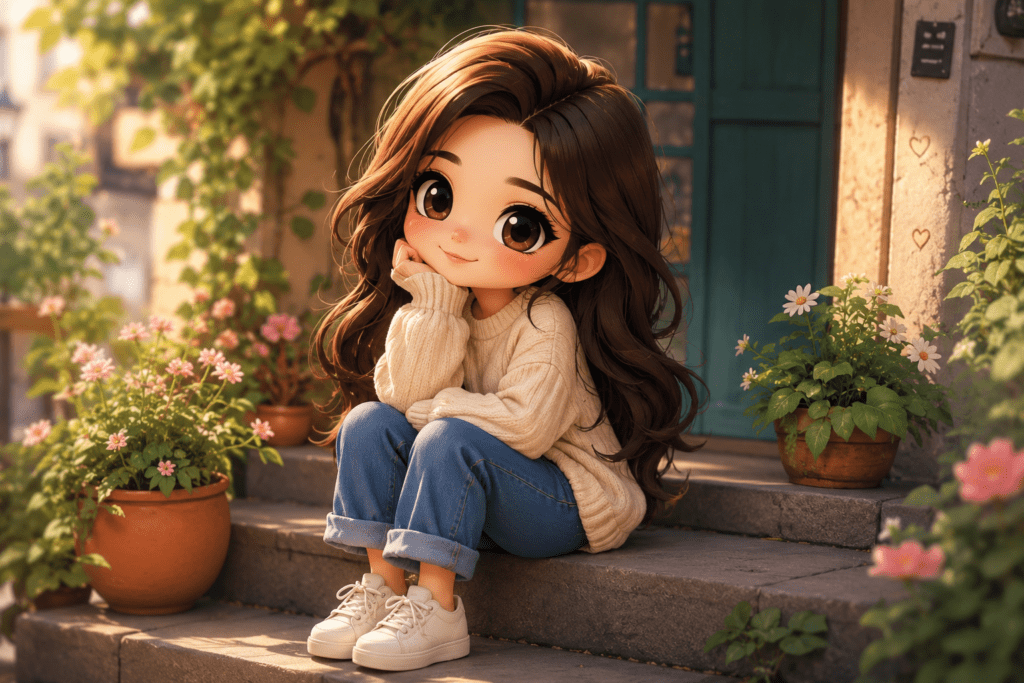
If your Instagram feed suddenly looks like an anime convention, blame the Chibi trend.
Chibi-style edits turn your selfies into tiny cartoon characters with oversized eyes, soft colors, and playful expressions. People are using them for profile pictures, birthday posts, and even couple photos. It feels fun, nostalgic, and highly shareable. Plus, it instantly gives your feed personality.
This trend is great for profile photos, couple edits, and story highlights. As one of the best AI prompts for portraits, you get something playful without looking overly edited.
“Turn this selfie into a cute Chibi anime character with pastel colors, oversized eyes, soft lighting, detailed hair texture, kawaii aesthetic, Instagram-ready portrait.”
This trend answers the question nobody asked: “What would I look like in the 1800s?”
Creators are generating ultra-realistic portraits of themselves in historical settings — Victorian England, Ancient Rome, Mughal royalty, Renaissance Europe, and more. People are loving this trend because it feels dramatic, artistic, and slightly unhinged in the best way possible.
“Create a cinematic Victorian-era portrait of me standing in a candlelit library, realistic skin texture, vintage clothing, moody lighting, movie-poster quality.”
Add film grain and muted colors after generating the image. It makes the edit look more believable.
This style works especially well with a ChatGPT realistic image prompt because detail matters here.
Everyone wants their “main character” moment, and AI magazine covers deliver exactly that. This trend turns ordinary portraits into fashion-editorial-style magazine covers with headlines, dramatic lighting, and luxury aesthetics.
It makes regular selfies feel intentional and polished without needing a professional shoot. One of the easiest tips here is to stick to one color palette for the entire edit.
“Design a high-fashion magazine cover featuring me, bold typography, luxury editorial style, studio lighting, Vogue-inspired aesthetic.”
The ChatGPT 3d action figure trend exploded because people realized they could basically turn themselves into collectible toys.
Users are creating boxed action figure versions of themselves, complete with accessories, career props, and dramatic packaging. It’s best for creator branding, funny Instagram reels, and LinkedIn crossover content.
Honestly, this trend is peak internet behavior—and people love it!
“Create a realistic 3D action figure of me inside collectible toy packaging, include accessories like laptop, coffee cup, camera, modern streetwear, and premium toy photography style.”
Clean edits are fading a little. Messy nostalgia is back.
AI-generated retro edits mimic disposable cameras, 90s film photography, faded flash effects, and grainy summer memories. Lower sharpness, add a slight blur, and use warm highlights when editing Instagram photos. The goal of this Instagram photo editing tip is “accidental cool,” not perfection.
“Transform this image into a nostalgic 90s disposable camera photo with soft flash, warm grain, vintage tones, slightly blurry candid aesthetic.”
Fantasy edits are huge right now thanks to gaming culture and fantasy TV shows.
People are turning themselves into elves, dark queens, cyberpunk warriors, mermaids, and mythical creatures using AI prompts. Best for cosplay content, reels covers, and fan pages. This trend works best when you include very specific details in your photo editor prompt.
“Turn me into a fantasy warrior queen with glowing armor, magical forest background, cinematic fantasy lighting, hyper-realistic style.”
Couples are using AI to place themselves in fantasy worlds, movie-inspired scenes, and animated universes. It’s basically digital couple cosplay now.
People engage more with storytelling visuals than plain selfies. This is one of the best ChatGPT prompts for relationship content creators and lifestyle influencers.
“Create a romantic cinematic scene of this couple walking through Tokyo at night in anime style, neon reflections, rainy street aesthetic.”
Not every trend has to be chaotic. AI headshot upgrades are becoming popular for creators, freelancers, and business owners who want polished images without booking a photographer. Many of them pair AI tools with the best photo editing apps for Instagram, such as:
AI creates the base image, and these apps help refine it.
“Generate a professional studio-quality headshot with natural lighting, modern outfit, clean background, realistic skin texture, LinkedIn and Instagram friendly.”
This trend makes people look tiny inside oversized environments—sitting in coffee cups, climbing keyboards, or living inside cereal bowls. It’s weirdly creative and highly shareable.
Instagram loves it because it instantly grabs attention, and it breaks visual expectations. This style is great for carousel posts and short-form video animations.
“Create a miniature version of me sitting inside a giant coffee cup on a cafe table, whimsical lighting, highly detailed cinematic realism.”
Instead of posting random photos, creators are generating cinematic scenes that look like stills from an indie film.
Think:
People are moving away from overly perfect influencer content. They want mood, storytelling, and personality. This is where a ChatGPT photo prompt generator can really help because tiny details completely change the vibe.
“Create a cinematic slice-of-life scene of me sitting in a rainy train station cafe at night, warm lighting, emotional storytelling aesthetic, realistic photography.”
AI editing trends are changing how people create Instagram content. You no longer need professional photography skills to make something visually interesting. What matters now is creativity, storytelling, and knowing how to guide AI tools with the right prompts.
Some trends will disappear in a month. Others will evolve into entirely new aesthetics. But right now, styles like Chibi portraits, cinematic history selfies, and 3D action figure edits are dominating feeds for a reason — they’re fun, fast, and surprisingly personal.
So if your current Instagram strategy is just adding a Valencia filter and hoping for the best, this might be your sign to experiment a little. And if you have more tips, share them with us at Tech: Write For Us.
AI photo editing trends focus on generative fill to add objects, AI upscaling for sharper resolution, and one-tap background removal. Automated color grading and AI-driven stylization are also huge, making professional-level edits accessible to everyone instantly.
Popular AI tools for Instagram include Canva for easy layouts, Lensa for artistic avatars and portraits, and Adobe Express for professional-level effects. Picsart and Lightroom AI are also favorites for quick, high-quality filters and background edits.
AI prompts act like instructions for the computer. You type a description—like “add a sunset” or “make it vintage”—and the AI interprets those words to change pixels, lighting, or objects in your photo automatically.
Absolutely! Most AI tools are designed for beginners. You don’t need technical skills; instead of manual tools, you use simple sliders or text prompts. The AI handles the complex heavy lifting automatically, making professional results possible for everyone.
To make your AI edits stand out, focus on creative prompts that reflect your personal style. Avoid overusing generic filters; instead, combine AI enhancements with manual tweaks to lighting and composition to ensure your photos look unique and authentic.

Mr. Robert Willson is one of the few geeks who never gets tired when it comes to technology. From the latest gadgets to AI and machine learning, Mr. Willson translates them into easy-to-digest insights. Where there is tech, there is him!
 10 AI Photo Editing Trends Taking Over Instagram in 2026
 Designing for Accessibility: How WCAG Guidelines Benefit Online Businesses?
 Self-Publishing vs Traditional Publishing in Canada
 The Ultimate Guide to Robotic Lawn Mower Features
 Smart Homes, Smarter Living: How Technology Is Redefining Luxury at Home

