Are you fond of clicking pictures? Or are you fond of getting clicked? In both cases, the top photo editing apps available in the market will become your best friend. We understand that most people are confused about getting these editing apps on their systems since their phones already have editing features. But the question is, do your built-in apps enhance your pictures? The answer is most likely no. For these reasons and more, you need a good editing app to make you look beautiful or make your clicks beautiful!
Now, you must be wondering how you should settle on the best one when there are so many photo editing tools for Android and iOS. Well, we are here to make your life easier! Our team extensively tried out the highly-rated editing apps, and after a lot of time testing them out, we have brought you this all-inclusive list of the best apps available!
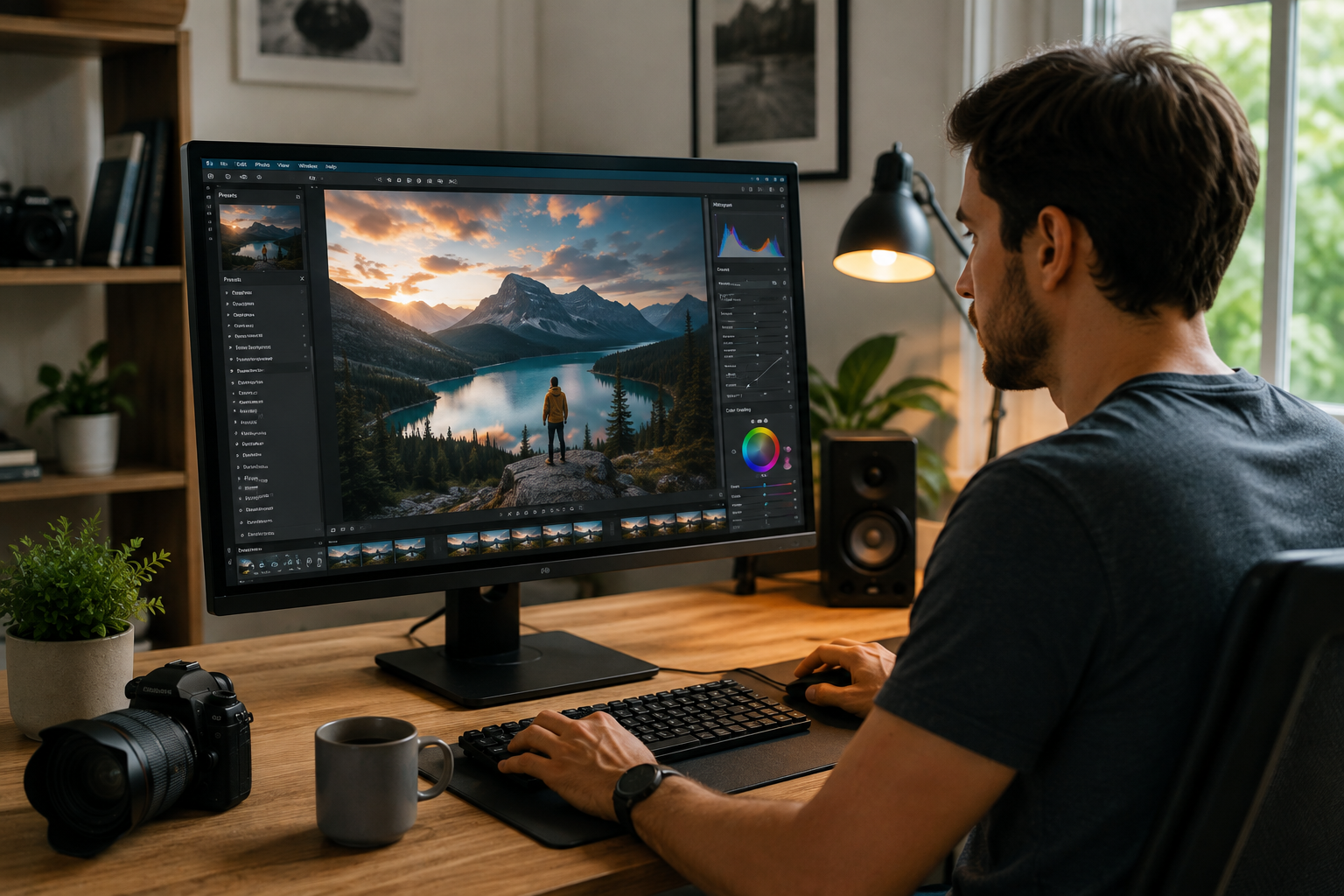
The best photo editing app should combine powerful editing tools with an intuitive interface that anyone can use. Here’s what you need to look out for:
The best app balances functionality, performance, and affordability, allowing users to create stunning images without a steep learning curve or expensive software.
| Photo Editing App | Best For | Key Features | Free Version | Platform |
| Adobe Lightroom | Professional photo editing | RAW editing, AI tools, presets, cloud sync | Yes | Android, iPhone |
| Snapseed | Beginners and enthusiasts | Selective editing, healing tool, HDR, filters | Yes | Android, iPhone |
| Adobe Photoshop Express | Quick edits | One-touch enhancements, blemish removal, collage maker | Yes | Android, iPhone |
| PicsArt | Social media creators | AI editing, stickers, templates, background removal | Yes | Android, iPhone |
| Canva | Marketing and graphic design | Templates, text overlays, branding tools | Yes | Android, iPhone |
| VSCO | Creative photography | Premium filters, color grading, presets | Yes | Android, iPhone |
| Afterlight | Artistic editing | Textures, overlays, frames, advanced filters | Yes | Android, iPhone |
| Prisma | AI art effects | Artistic filters, painting styles, AI transformations | Yes | Android, iPhone |
| TouchRetouch | Object removal | Remove unwanted objects, wires, blemishes | Paid | Android, iPhone |
| Pixelcut | Product photography | AI background removal, product mockups, shadows | Yes | Android, iPhone |
Pros: Completely free, RAW photo editing, selective editing, healing tool, non-destructive editing (Stack), beginner-friendly interface.
Cons: No AI editing features, no cloud sync, fewer creative templates and effects than competitors.
Pricing: Free
If you are not so serious about your photography skills, skip this one. As Snapseed makers claim, this app is only for serious users. You have to spend very little time on this app to make the best possible image come true. It has a great array of editing tools like editing brushes, film-related filters (Double Exposure, Retrolux, Lens Blur, etc.)
For lovers of detailing in photographs, Snapseed is a great professional photo editing app. It comes with a range of colors, reshaping, masking, exposure, etc., that can be included while you use filters as well. More than concentrated photo editing, you will find a lot of fun when you play around with the features of this app. Don’t worry, there is no permanency in this app, and it’s one of the best photo editing apps for beginners. You can always go back to the ‘Stack’ options and adjust/eliminate the previously done changes.
Who this is for: Beginners, hobbyist photographers, and users who want professional editing tools without paying for a subscription.
Pros: AI-powered editing, object removal, professional retouching tools, Creative Cloud integration, excellent filters and effects.
Cons: Most advanced features require a subscription, learning curve for beginners, internet required for some AI tools.
Pricing: Free (basic version); Premium starts at US$9.99/month
According to CNET, Adobe Photoshop is the most beginner-friendly tool. This could also be the best tool to edit photos because of its AI that adds photo corrections and special effects before you take the picture. If you are a budding photographer or someone who has been slaying the self-timer for a long time, this app is your lifesaver!
As one of the best free photo editing apps, it has many filters known as ‘lenses’ that make plenty of adjustments to your existing picture. Your picture clarity, lighting, and color- everything can get changed without a fuss! There is a special ‘Adobe Sensei’ feature available that can identify what kind of photo you are about to click or have clicked automatically. You can also use some of the ‘lenses’ to zoom in/out, pinch in/ pinch out the picture you are about to take or have already clicked.
Who this is for: Content creators, designers, photographers, and users looking for AI-powered editing and advanced retouching tools.
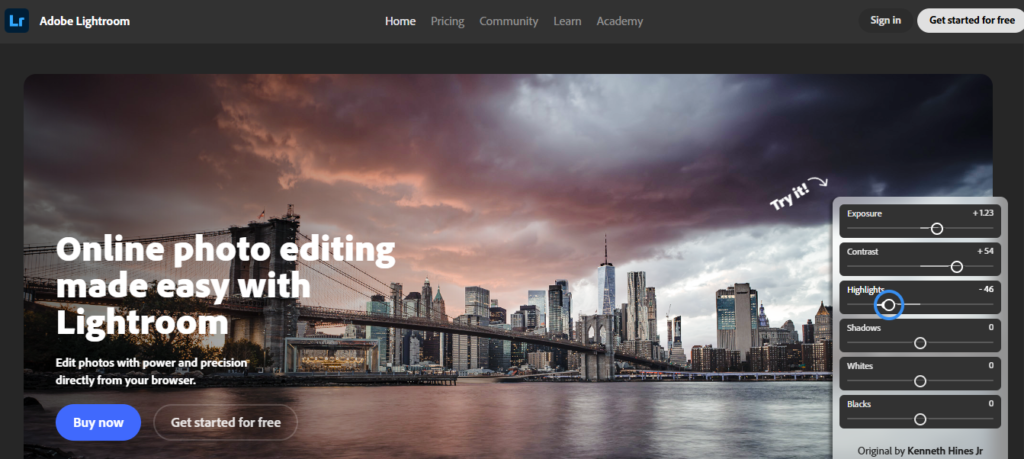
Pros: RAW editing, professional color grading, AI masking, presets, cloud synchronization, interactive tutorials.
Cons: Premium features are subscription-only, limited cloud storage on the free plan, can be overwhelming for beginners.
Pricing: Free (basic version); Premium starts at US$9.99/month
The mobile version of this app contains your whole photo library as well as access to all photo data on your device. So, when you are investing in the Lightroom system, think of it as the stellar deal that will get you a full-processing, professional-level photo editor.
If you are a budding photographer, this app will be a great learning platform. It contains many interactive tutorials that teach you how to edit like a pro. You can choose any of the dozen tools available, like selective edit, exposure, color, etc. The slider control features with quick responsiveness let you adjust everything that needs enhancement or correction in your original image.
Lightroom is a great photo editing app for those who are starting to get serious about their photography skills and makes them able to focus on their skills.
Who this is for: Photography enthusiasts, professional photographers, and anyone who wants complete control over image editing and color grading.
Pros: Wide collection of filters, film-inspired effects, textures and overlays, beginner-friendly, great for social media creators.
Cons: Many creative effects are locked behind Premium, limited advanced editing tools, in-app purchases.
Pricing: Free (basic version); Premium starts at US$2.99/month
Afterlight is a powerful and feature-rich mobile photo editing app known for its creative filters, including film-inspired styles, vintage effects, textures, and overlays. The free version includes essential editing tools like cropping, contrast, exposure, and saturation, making it a solid starting point for basic edits.
If you enjoy giving your photos a distinctive, film-inspired look, Afterlight is a great option—just be aware that many of these creative features are behind a paywall. It’s also great if you’re a marketer or an influencer. Afterlight can help elevate your visuals and make your content stand out on platforms like Instagram and beyond.
With our best app choices, all your budding ideas about photography will find a great platform. All you have to do now is select what works best for you and get started.
Who this is for: Social media creators, influencers, marketers, and users who love creative filters and aesthetic photo edits.
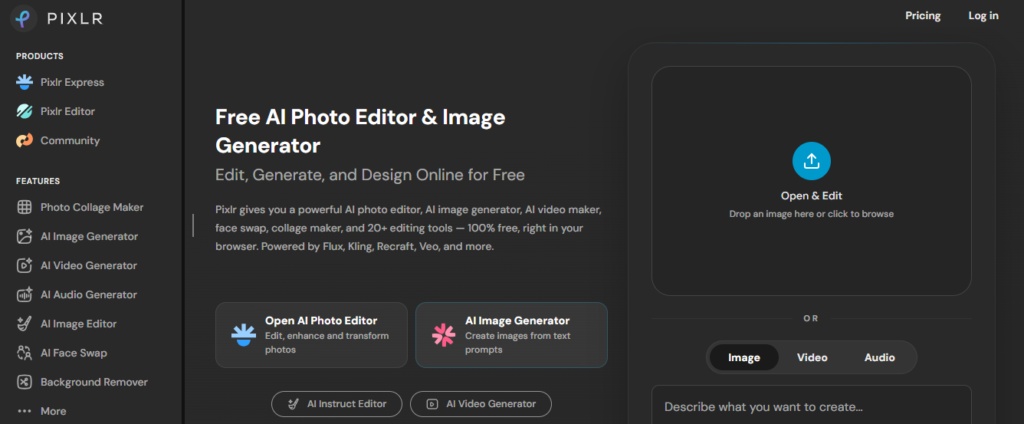
Pros: AI background removal, object eraser, beginner-friendly interface, templates, fast performance, available on Android and iPhone.
Cons: Advertisements in the free version, premium AI tools require a subscription, limited RAW editing capabilities.
Pricing: Free (basic version); Premium starts at approximately US$1.99/month
Pixlr has become one of the most popular photo editing apps for users who want professional-looking edits without spending hours learning complex software. Available for both Android and iPhone, Pixlr combines traditional editing tools with AI-powered features that simplify tasks like background removal, object erasing, and automatic image enhancement.
The app offers all the essential editing features, including cropping, resizing, exposure adjustment, color correction, sharpening, filters, overlays, text, and stickers. Its AI tools are particularly useful for content creators and small business owners who need polished visuals for social media, websites, or online stores. With just a few taps, users can remove unwanted objects, replace backgrounds, or improve portraits without requiring advanced editing skills.
Pixlr also includes hundreds of professionally designed templates, making it a great choice for creating Instagram posts, YouTube thumbnails, promotional banners, and marketing graphics. Since the interface is clean and beginner-friendly, even first-time users can produce high-quality images within minutes.
Unlike heavyweight editing software, Pixlr performs smoothly on most smartphones while still offering enough creative flexibility for experienced users. Although some premium templates and AI features require a subscription, the free version provides enough tools for everyday editing.
Who this is for: Social media creators, bloggers, marketers, online sellers, and casual photographers looking for fast AI-powered editing.
While Google Photos and Apple Photos offer convenient built-in editing tools, they are designed primarily for organizing and managing photo libraries rather than advanced editing. Their editing capabilities are limited to basic adjustments like cropping, brightness, contrast, and a few filters. They lack professional features such as layers, selective editing, advanced color grading, AI object removal, masking, and creative overlays found in dedicated editing apps like Lightroom or Photoshop.
If you regularly edit photos for social media, photography, or marketing, a dedicated photo editing app provides far greater creative control, flexibility, and professional-quality results.
The best photo editing app offers intuitive controls, AI-powered tools, RAW editing support, high-quality filters, fast performance, and compatibility with both Android and iPhone for professional-quality results.
Professional photographers commonly use Adobe Lightroom and Adobe Photoshop because they offer RAW editing, advanced color grading, AI tools, masking, presets, and seamless Creative Cloud integration.
Adobe Photoshop, Lightroom, PicsArt, Pixlr, and Pixelcut are among the best AI photo editing apps in 2026, offering intelligent retouching, object removal, background editing, and image enhancement.
Many AI photo editing apps offer free versions with basic features. However, advanced AI tools such as object removal, premium filters, and background replacement usually require a paid subscription.
Snapseed is one of the best completely free photo editing apps. It includes professional editing tools, RAW support, and selective editing without adding watermarks or requiring a subscription.
Snapseed and Pixlr are excellent lightweight photo editing apps for low-end Android phones. They deliver powerful editing features while maintaining smooth performance without consuming excessive storage or memory.
As a tech-savvy Digital Marketing Specialist at Digital Concepts for the past five years, Sushmita Banerjee bridges the gap between complex tech and impactful storytelling. She channels her expertise into writing thought-provoking content covering everything from AI and software to the latest gadgets and breakthrough tech trends.