One question that comes up in almost every website planning meeting I’ve been in is this:
Will this website still work when our business doubles in size?
It’s a far question. Unfortunately, it’s usually asked a little too late.
As a web developer, I’ve seen businesses invest in beautiful websites that perform brilliantly on launch day. Six months later, traffic grows, new features get added, and suddenly the website starts slowing down. Pages take longer to load, integrations become messy, and customers begin dropping off without saying a word.
The design wasn’t the problem here. The architecture was.
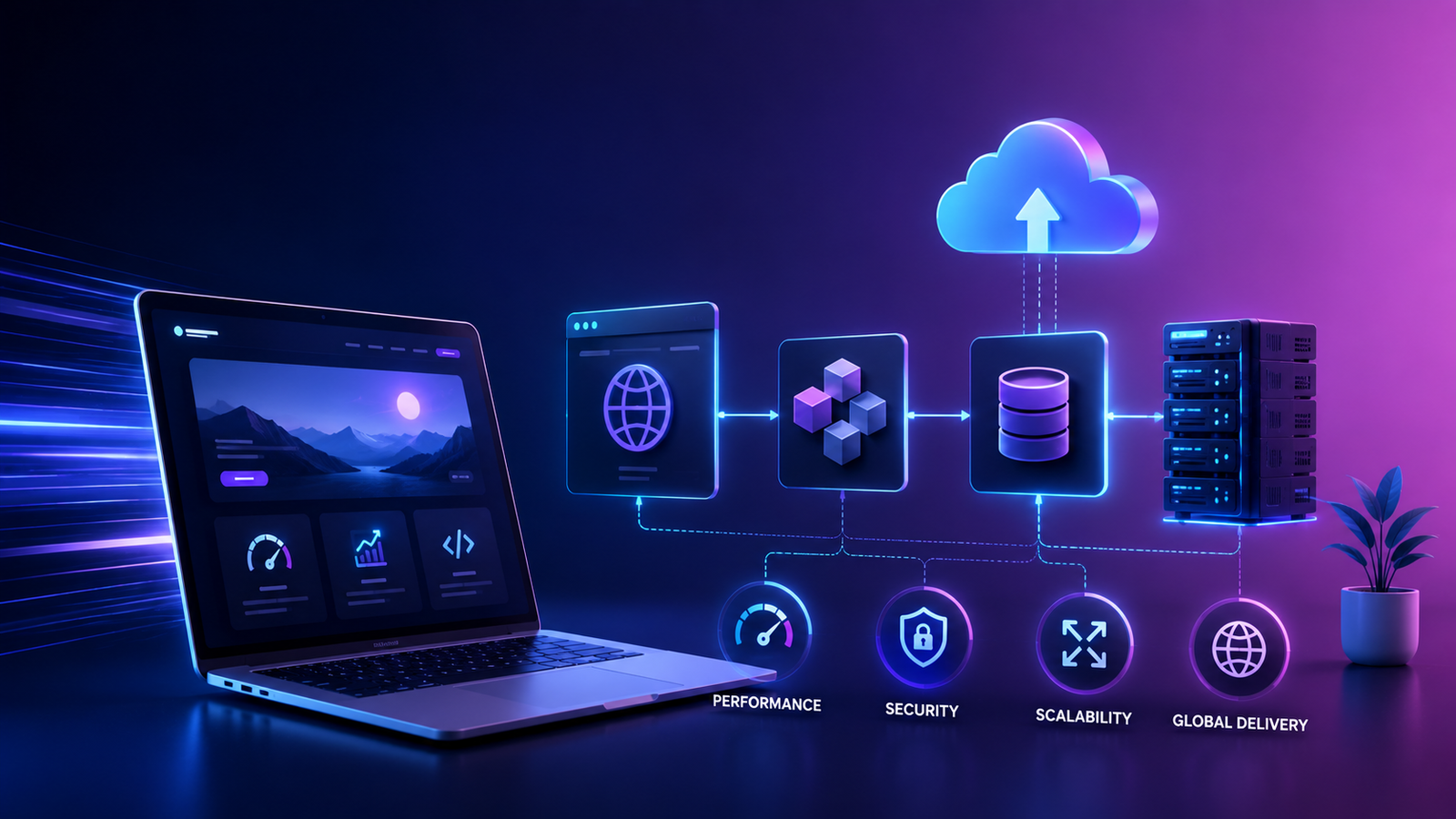
That’s why scalable web design has become one of the biggest conversations in web development today. A website isn’t just a collection of pages anymore. It’s a living digital platform that needs to support marketing campaigns, online sales, customer support, analytics, AI tools, and future business growth—all at the same time.
If you’re planning a new website or thinking about upgrading your existing one, understanding how modern websites are built will help you make smarter decisions. More importantly, it’ll save you from rebuilding everything a few years down the road.
You open a small coffee shop that comfortably serves 50 customers a day. Then one morning, a popular influencer posts about it, and suddenly 500 people show up.
If the kitchen, staff, and seating don’t change, the experience will quickly fall apart. Websites behave the same way.
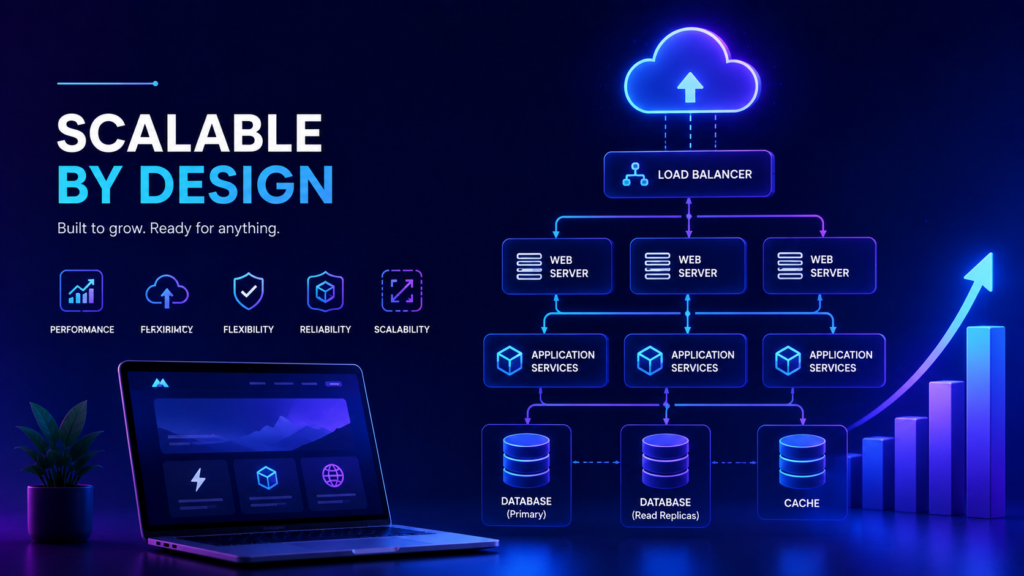
A scalable website isn’t one that’s built for today’s traffic. It’s one that’s designed to handle tomorrow’s growth without slowing down or needing a complete rebuild. Your website would need to:
Scalability is future-proofing. You’re not paying for features you don’t need today. You’re making sure your website won’t hold your business back later.
It’s easy to focus on colours, animations, and layouts because they’re visible—like using popular bento grid layouts to organize content visually. Your visitors, however, notice other things first. They’ll notice your website’s speed, how efficient the checkout process is, and how quickly the pages load on their phone. That’s where architecture quietly does its job.
A good modern web development strategy treats your website like a well-organized city instead of one giant building. Every component has a specific role, whether it’s displaying content, processing payments, handling user accounts, or connecting with marketing platforms.
One of the most common issues I encounter is a website that has been patched together over several years.
A plugin gets added for booking appointments. Another handles payments. Someone installs a chatbot. Then comes an email marketing integration, analytics tools, inventory management, and customer portals.
Individually, none of these are bad decisions. Together, they can create a website that’s difficult to maintain and even harder to scale.
I’ve seen businesses where a simple software update unexpectedly affected checkout because multiple plugins depended on one another. Fixing one issue ended up creating three more.
Modern website architecture avoids this by keeping systems loosely connected. Each service has a clear responsibility, making updates safer and future improvements much easier.
If you run an online store, scalability becomes even more important. Launching with 50 products is very different from managing 5000.
That’s why scalable ecommerce web design isn’t just about making room for more products. It’s about creating an experience that stays fast and reliable, even when demand increases.
Planning for growth is almost always cheaper than redesigning after you’ve outgrown your website.
Many businesses think improving speed means compressing a few images or removing animations. Such changes help, but they’re only part of the picture.
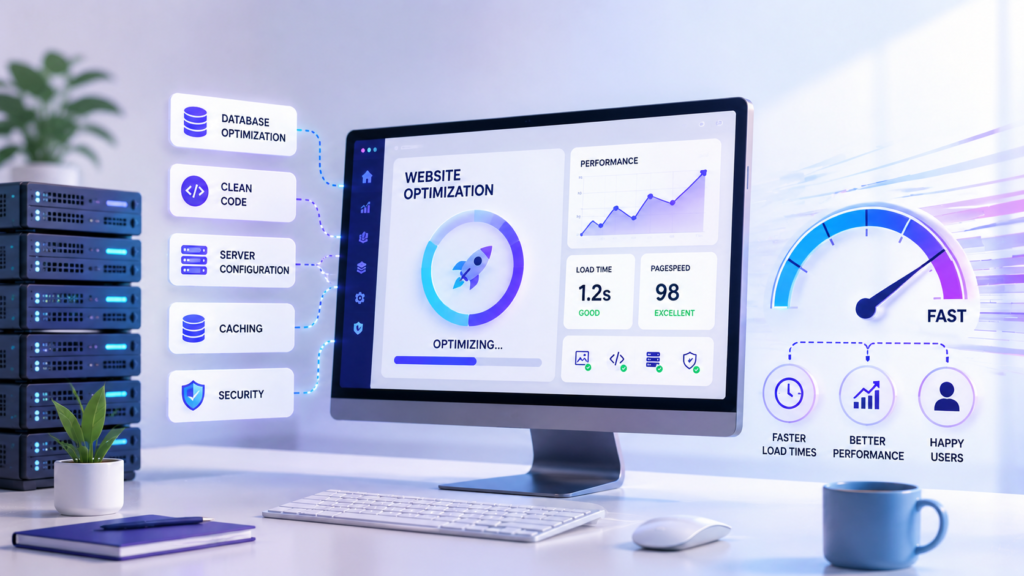
Real performance optimization starts with the technology behind your website. Developers often focus on reducing unnecessary work. The fewer tasks your server performs for every visitor, the faster your website feels.
This is where caching, cloud infrastructure, and content delivery networks, among others, become essential. They’re not exciting features your customers will notice directly, but the reason everything else feels effortless.
You’re mailing every order from a single warehouse, no matter where your customers live. Shipping would take longer for people farther away. A Content Delivery Network (CDN) solves a similar problem for websites.
Instead of serving every visitor from one server, a CDN stores copies of your website across multiple locations worldwide. Visitors automatically receive content from the nearest location, reducing delays.
For businesses with customers across different cities or countries, this can noticeably improve loading times. Modern CDN providers can also CDN cache dynamic content, allowing personalized pages to load faster while showing up-to-date information like pricing, inventory, or account details.
What if someone asks you for directions every 5 minutes? You could explain the route from scratch every single time. Or you could hand them a printed map. Caching works like this printed map.
Instead of rebuilding every webpage from the beginning whenever someone visits, your website stores commonly requested information temporarily. That’s less work for your server, leading to faster page loads and a smoother browsing experience.
Browsing caching, server-side caching, database caching, and CDN caching all work together to reduce delays. Individually, they help. Combined, they can dramatically improve performance without changing the way your website looks. For instance, optimizing these parameters is one of the most effective ways to enhance FCP for WordPress websites, ensuring visitors see your content almost instantly.
Think of traditional web hosting as renting a single office. It works well until your team outgrows the space. Then you have to move everything, which can be expensive and disruptive.
Cloud hosting takes a different approach. Instead of relying on one physical server, your website runs on a network of servers that can share the workload. If traffic suddenly spikes because of a successful marketing campaign or a festive sale, additional resources can be allocated without bringing your website to a halt.
To better understand how this flexibility works, here is a quick look at how cloud-driven horizontal scaling compares to traditional vertical scaling:
| Feature | Horizontal Scaling | Vertical Scaling |
| Approach | Adds more servers to the network | Increases single server capacity |
| Redundancy | Provides redundancy | Limited redundancy (single point of failure) |
| Constraints | Highly scalable | Limited by hardware constraints |
| Environment | Suitable for cloud environments | Traditional/limited environments |
| Cost | Can be more cost-effective | Often expensive at higher scales |
Traditional content management systems (CMS) combine the frontend (what visitors see) and the backend (where content is managed). This works well for many businesses, but it can become limiting when your website needs to power multiple digital experiences.
A headless CMS separates content from presentation. Instead of creating content specifically for one website, your content can be delivered through APIs to websites, mobile apps, digital kiosks, smart devices, or whatever platform comes next.
This flexibility is one of the biggest benefits of headless ecommerce. For example, imagine you update a product description. With a headless setup, that same information can automatically appear on:
Of course, headless isn’t the right solution for every business. Smaller websites with simple content requirements may be perfectly happy with a traditional CMS.
Modern websites rarely work alone. Your website might connect with CRM software, email marketing platforms, inventory systems, and so on. Rather than forcing every system into one platform, developers increasingly build websites around APIs because they allow different applications to communicate with one another without becoming tightly connected.
The result is a website that’s easier to update, easier to expand, and less likely to break when one tool changes.
This question comes up surprisingly often. Both approaches aim to create a good experience across different devices, but they solve the problem in different ways.
In responsive design, the same layout adjusts automatically to fit different screen sizes. This is what most modern websites use today because it’s flexible and easier to maintain. Adaptive website design, on the other hand, creates multiple fixed layouts for specific screen sizes. The website detects the visitor’s device and serves the most suitable version.
When comparing both, neither approach is universally better. Responsive design usually makes sense for most business websites because it’s simpler to maintain and supports a wide range of devices. Adaptive designs can still be useful when certain devices require highly customized experiences or where performance requirements justify separate layouts.
Choosing between them depends on your audience, your content, and your long-term goals.
Not every visitor comes to your website looking for the same thing. Someone visiting for the first time has different needs than a returning customer. AI-powered personalization helps websites adapt to those differences. For example, your website could:
When used thoughtfully, personalization makes your website feel more helpful rather than more complicated.
As businesses grow, websites often become part of a much larger digital ecosystem.
An enterprise website may need to connect with multiple departments, customer databases, ERP systems, marketing platforms, mobile applications, and third-party services. This is where enterprise web architecture comes in.
Rather than focusing on a single website, enterprise architecture considers how every digital system works together. It prioritizes scalability, security, maintainability, performance, integration, and governance.
Even if you’re not a large enterprise today, borrowing these principles can make your website far easier to manage as your business expands.
Fast websites are great. Reliable websites are even better.
Modern website architecture also includes ongoing monitoring and security measures. I often use tools that continuously monitor website uptime, server health, response times, and error logs. This identifies issues before customers notice them.
Security also plays a major role. Features like HTTPS, web application firewalls, regular software updates, secure authentication, and automated backups help protect both your business and your customers.
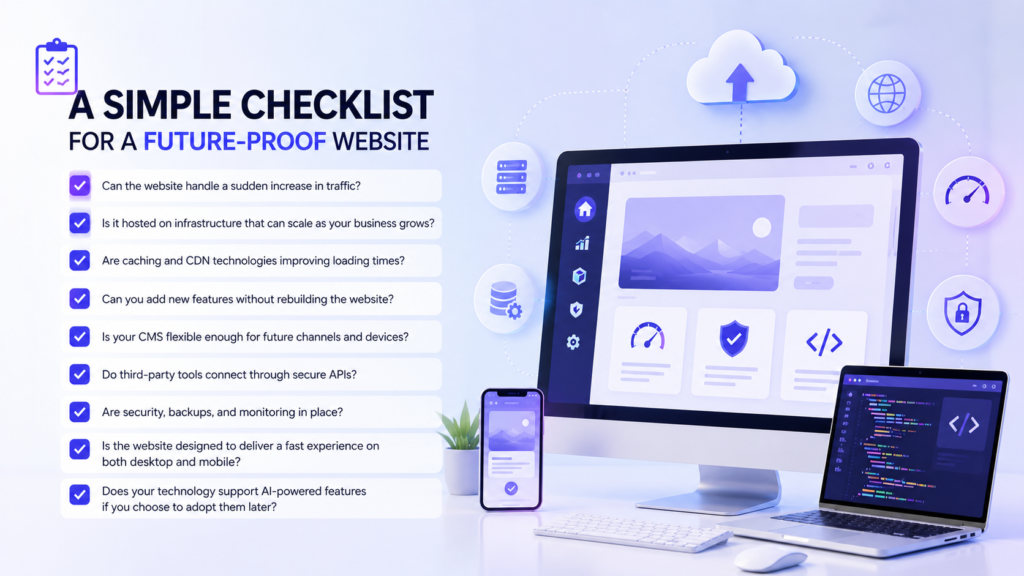
Whether you’re planning a new website or reviewing an existing one, ask yourself these questions:
If you answered “no” to several of these, it may be time to rethink your website’s foundation, not just its appearance.
A modern website isn’t just a digital brochure. It’s your storefront, your salesperson, your customer support desk, and often the first impression people have of your business.
When you think about your next website project, don’t just ask, “How will it look?” Ask, “Will it still perform brilliantly three years from now?” That’s the question modern website architecture is designed to answer.
From scalable design to AI-powered personalization, every decision you make today affects how well your website performs tomorrow. Share your thoughts on this with Technology Blogs: Write For Us!
Good website architecture is like a strong foundation. It ensures your website can handle massive traffic spikes and data growth smoothly without crashing, slowing down, or requiring a complete rebuild.
Horizontal scaling means adding more machines (like getting a fleet of cars), while vertical scaling means adding more power to your existing machine (like upgrading to a faster engine).
CDNs store copies of your website on servers around the world. When someone visits, they load data from the closest server, making your site load much faster.
API-first architecture means building your application’s programming interface (API) before anything else. This ensures different devices, apps, and websites can all easily connect to the same backend data.
A headless CMS uncouples content storage (the backend) from the presentation layer (the frontend). By leveraging APIs, it smoothly distributes content to any digital device or website application.

As a tech-savvy Digital Marketing Specialist at Digital Concepts for the past five years, Sushmita Banerjee bridges the gap between complex tech and impactful storytelling. She channels her expertise into writing thought-provoking content covering everything from AI and software to the latest gadgets and breakthrough tech trends.